Hi everyone,
a lot has happened around Track8 since the last update — on the hardware side, on the software side, and with a completely new way to run Track8.
🎬 Two great Track8 video series
Before anything else: two YouTubers have been putting real time into Track8 and are creating ongoing video series about it — from first setup to deep dives into workflows. If you're new to Track8, or just want to see how someone else uses it, start here:
- Ron Cavagnaro — Track8 series on YouTube
- Daddy Long Les — Track8 series on YouTube
Thank you both — these explain Track8 better than I ever could, and they're a huge help for everyone waiting on a device or just getting started.
🎉 Batch 1 is sold out worldwide
Track8 Batch 1 is now sold out — at Perfect Circuit, at SchneidersLaden, at Juno and in the Thingstone Shop.
Thank you to everyone who took the leap on a small, focused recorder from a small company. Seeing Batch 1 go out into studios and living rooms all over the world, and getting so much real-world feedback back, has been the best part of this year.
🔧 Batch 2 is in the works
Batch 2 is in the works. The current component situation is difficult, though: we're doing our best to get Track8 shipping again as soon as possible, but it will take a couple of months.
I'll announce it as soon as Batch 2 becomes available — until then, the new Instagram account is the best place to follow the progress.
📸 Thingstone is now on Instagram
Thingstone finally has an Instagram account:
Follow along for news around Track8 and Batch 2.
📱 Track8 Companion App — now on the App Store
Track8 now has a companion app for Mac (Apple Silicon) and iPad:
It runs the exact same software as the device — the same audio engine, the same screens, the same shortcuts — with an on-screen Track8 you control by touch.
Two things it is made for:
- A living manual. The Info Overlay shows what every encoder and button does on the current screen and mode, including the SHIFT functions. It's the fastest way to learn Track8 — or to look something up without leaving the session.
- Working on the go. Import a Track8 project from the SSD, arrange, edit MIDI, tweak Track FX and mastering on the train or the couch, then export it back to the device.
It also comes with a live theme editor: change any colour and see it on the rendered Track8 screen right away, then export the theme to your device.
A few honest notes: file handling is different from the hardware, there are no latency guarantees, and MIDI Learn / Remote Control stay hardware-only. Everything else is there.
🚀 New Features (v1.1.4 → v1.2.2)
Since v1.1.3 there have been five releases, and they add up to a lot. Here are the highlights — the full release notes are on GitHub.
Recording
- Multi-take recording — set a punch region, record up to 8 takes in a loop, audition them with the track buttons, commit the one you like
- Take comping — split the take region with comp markers and pick the best take for every section; Track8 stitches them together with short crossfades
- Varispeed for playback and recording (±100 % or ±12 semitones) — record at half speed, play back at full
- Record quantize for MIDI — incoming notes snap to the grid as you record, with adjustable strength so it still feels human
- Punch monitoring — the input monitor is only audible inside the punch brackets, so a rehearsal pass sounds exactly like the recorded result
- Start marker — flag a marker with ▶ and SHIFT + Play always returns to it, so every take of a section starts from the same spot
- Audio and MIDI record offset per track to compensate latency, plus SHIFT + REC to undo a take and jump back to where recording started
Mixing & Sound
- Track Mixer page (press AUDIO twice) with solo, automation recording for all tracks at once, and a touch-toggled full-height meter view with per-track True Peak readout
- 8 Sends per track and true sends: delay / reverb sends no longer attenuate the dry signal; Send/Returns became Inserts in USB soundcard mode
- Master Delay LFO — modulate the delay time for chorus / flanger sounds; delay and reverb switching and time changes are now click-free
- Spectrum analyzer on the Mastering page and a Bell node for the track EQ
- Bounce to track — export a mix straight onto Track 1–8 to consolidate tracks (and it asks before overwriting anything)
- Cut / Paste on FX screens — reset a whole Track FX / Master FX / Mastering / Mixer view, or copy its settings to another track
Editing & Arranging
- Arrange whole song sections — set the loop around a verse, hold LOOP + Cut / Copy / Paste, and all unmuted audio and MIDI tracks move together — markers, tempo changes and MIDI events included — with a single Undo
- SPLICE — insert or remove time at the playhead like a tape splice: all audio, automation, MIDI and markers behind it move along
- Move markers along the timeline with everything they carry, and a marker lock that is now a true lock
- FIT tempo — tell Track8 how many bars lie between two markers and it sets the tempo to match, so freely recorded material gets a grid without any time-stretching
- Automation overhaul — automations can have gaps, SHIFT + CLEAR clears between markers, filter nodes can be dragged by touch
- Automation LFO — write a tempo-synced LFO (six shapes, rate as a note value) into any automation lane between two markers, and hear it while you dial it in
- Timeline zoom on the Audio and MIDI Overview (0.25x – 4x), and [ + ] to set the loop / punch region from the surrounding markers
- Clipboard Modifier grew up: crop, slide, steeper fades, loop region to selection, WRITE BACK to the original position, and a shortcut from the Audio Edit screen
- …and then it got creative: pitch and filter sweeps, granular resynthesis, a scale-tuned resonator bank, LFOs for volume / pan / pitch / filter, delay / ping-pong / reverb printed into the clip, loop tools, and a distortion page with tape, amp models, wavefolder and ring modulator — all auditioned live before you apply them
- Colour-coded markers, and tape now starts at B 01:01
MIDI
- MIDI Remote Control & MIDI Learn — hold an encoder for 2 seconds to map it to a CC; map transport, loop, punch and cut / copy / paste to MIDI buttons or a jog wheel
- Remote Control follows the selected track — map a set of knobs once and they control whichever track is selected, Elektron auto-channel style; pads that send notes work as buttons, and
Locate 1–8jump straight to numbered markers - MIDI Device Profiles — name the drum sounds and CCs of your gear (GM Drums, TR-808, TR-909 included), and MIDI Edit turns into a drum-style piano roll
- Marker MIDI events — a marker can send a Program Change or MIDI Start / Stop when the playhead crosses it
- Metronome in odd time signatures — 7/8 finally clicks eighths, and beat-synced delay times are true note values in every signature
Workflow
- Project Templates — save your track names, MIDI channels, mixer, FX and interface setup as a template and start new projects from it
- Quick Settings — touch and hold the track area for a panel with the everyday toggles, including FREE BAR, which jumps to the next empty bar to record or paste into
- USB keyboard support for naming things
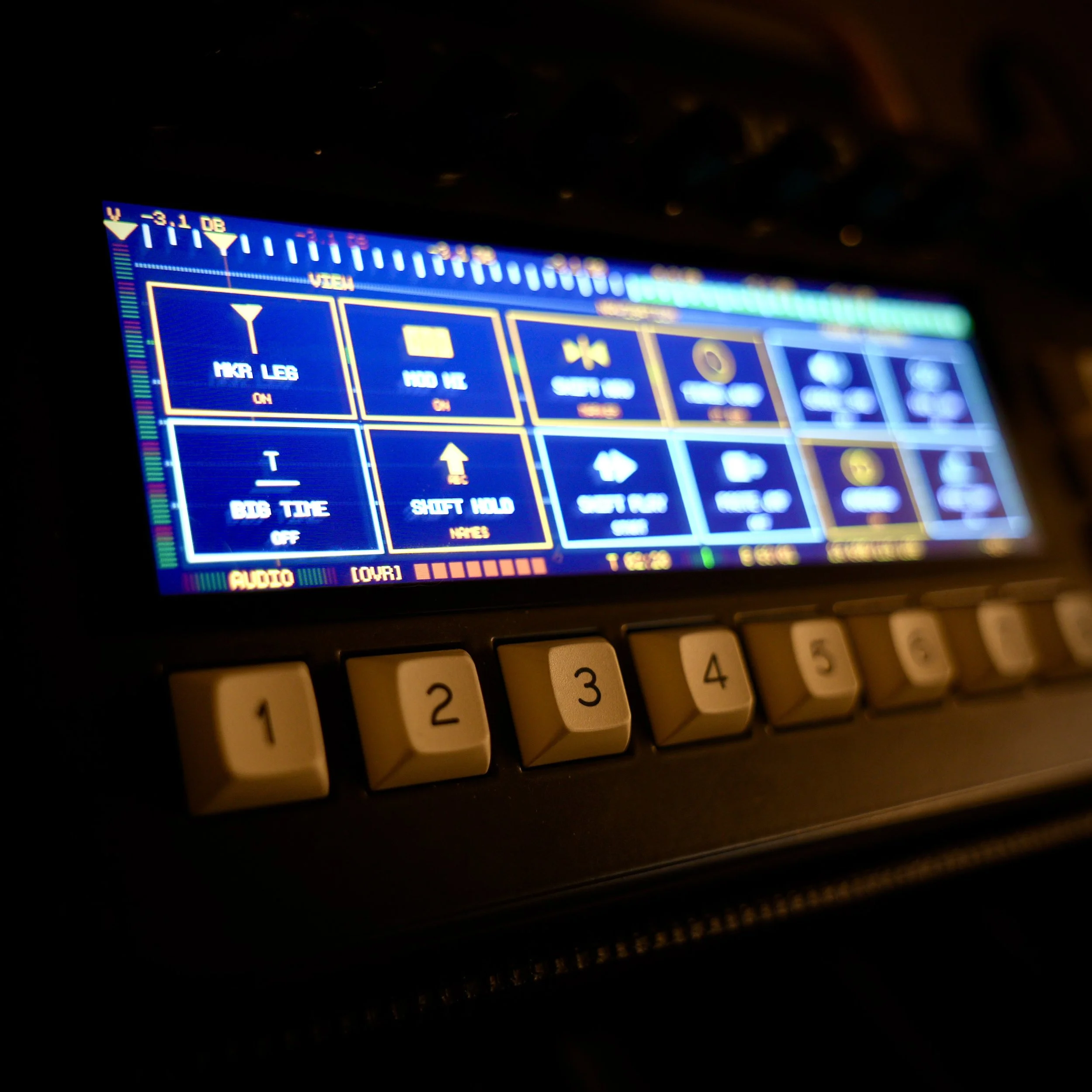
- BIG TIME — a large time / bar:beat overlay readable from across the room, now with the current and next marker name and a countdown to the change
- Display filters and colour temperature — CRT, scanlines, bloom, soft or sharp, and a warmer screen (down to 2500 K) for long sessions and dim rooms
- Tape-style scroll and tape-stop sounds, decimal tempo, SHIFT + Encoder for fine steps everywhere, and a whole lot of on-screen confirmation so you always know what just happened
Alongside all of that: a lot of stability work on long audio operations (cut / copy / paste / undo of many minutes of audio now runs safely within the device's memory) and dozens of fixes reported by you.
📖 The manual moved
The manual is now a proper online book instead of a wiki, and it's updated together with every release:
🙏 Thank you
Almost every feature above started as a GitHub issue, a mail, or a conversation at a synth meet. Batch 1 users didn't just buy a recorder — they shaped it. Thank you for that.
As always, feedback, ideas and discussions happen on GitHub, and they directly decide what comes next.
If you have any questions, feedback, or ideas — feel free to reach out.
Thanks for your support,
Collin
PS: If you haven't updated yet, now is the time. 👉 https://github.com/ThingstoneGmbH/Track8/releases/tag/v1.2.2